The latest supported data logger firmware is included with the latest version of SiteView.
To check for and install a firmware upgrade:
- Connect the data logger to SiteView.
- Open the logger’s Status window.
- If SiteView detects that a newer firmware version is available for the logger, the Upgrade Firmware button will appear on the right side of the Status window.
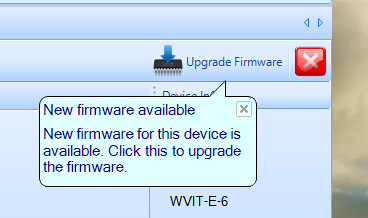
- Click Upgrade Firmware.
- Follow the on-screen instructions to complete the firmware upgrade.
Do not disconnect the data logger or interrupt the upgrade process until the firmware update is complete.