When downloading data from a logger in SiteView, you can save the data in either of two ways:
- To the SiteView database
- To an individual SVF file
You can select the desired option in the Download dialog.
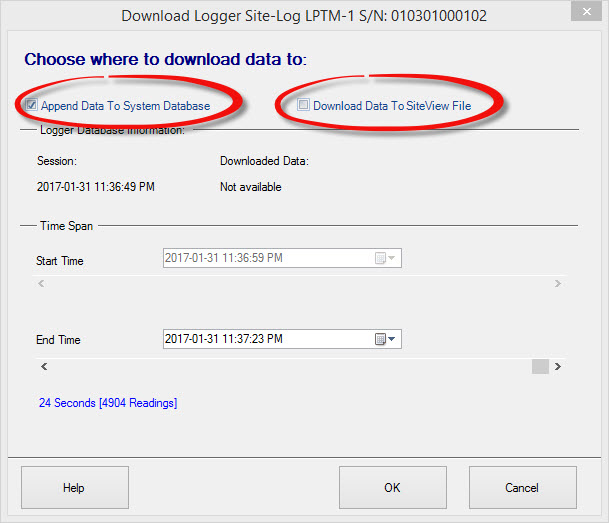
Save to the SiteView Database
When data is saved to the SiteView database, it is appended to the database associated with that logging session.
The logging session is identified by its session setup time.
This is useful for long-term data collection. For example, if the logger is operating in FIFO mode, newly downloaded data can continue to be appended to the same logging session in the database.
Save to an SVF File
You can also save downloaded data as an individual SVF file.
SVF files are useful when you want to:
- Apply a different equation to the downloaded data
- Reprocess the data using another equation
- Combine data from multiple SVF files in a single Plot View
Choose the storage method that best fits how you plan to manage and analyze the downloaded data.