19 articles Data Logger

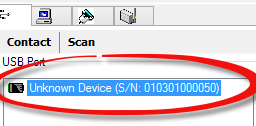
Why my data logger is detected as an “Unknown Device”?

If SiteView detects your data logger as an Unknown Device, the troubleshooting steps depend on whether a serial number is displayed. 1. “Unknown Device” with a Serial Number If SiteView displays Unknown Device and also shows a serial number beside it, SiteView is communicating with the logger, but your current SiteView version may not support…

Can I Use a Thermistor Data Logger to Measure Resistance?

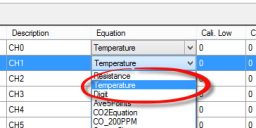
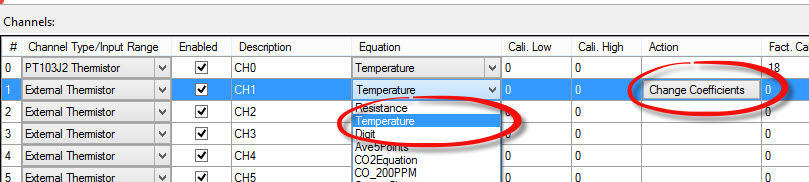
Yes. Microedge offers the following thermistor data loggers: PRECISE-LOG PL-HW WiFi 8-Channel Thermistor Data Logger SITE-LOG LPTH-1 7-Channel Thermistor Data Logger iLOG iTH-10 Single-Channel Thermistor Data Logger All of these models can measure resistance by using the built-in Resistance equation in SiteView. When configuring the data logger, simply select Resistance from the equation list.  

Do You Offer Customized or OEM Data Logger Solutions?

Yes. Microedge offers customized and OEM data logger solutions for customers with specialized application requirements. Our OEM program is designed to help customers efficiently develop and bring customized data acquisition and logging products to market. Depending on your requirements, our engineering team can provide: Custom or semi-custom hardware Software modifications Firmware customization Additional functions or…

How Do I Adjust the Clock on a Data Logger?

The data logger’s internal clock is automatically synchronized with the computer’s clock whenever the logger is configured in SiteView. To adjust the logger’s clock: Make sure the date and time on your computer are correct. Connect the data logger to SiteView. Open the logger’s Configuration window. Save the configuration. When the configuration is saved, the…

How Is a Data Logger Powered?

Each Microedge data logger has an internal battery for standalone operation. When an external 5 VDC power source is detected, such as: A computer USB port, or A 5 VDC USB wall adapter the logger automatically switches to external power and disconnects the internal battery from the power circuit. This helps preserve battery life while…

How Do I Clear Data from a Data Logger?

You do not need to clear the data logger manually. When you configure and start a new logging session, the previously stored data in the logger is cleared automatically. If you need to keep the existing data, make sure to download it before starting a new logging session.

Can I Download Data While the Logger Is Still Recording?

Yes, but it depends on the logger’s sampling mode. Normal Sampling Mode If the data logger is operating in normal sampling mode, you can download data while the logger is still recording. Downloading data will not interrupt the logging session. Normal sampling mode applies when the sampling interval is one second or longer: Fast Sampling…